grahnforlang.com
  • Home
  • Instruction
    • Lessons based on authentic resources
    • Proficiency
    • Communicative Modes
    • Target Language
    • Scaffolds and Supports
    • Tiering Tasks and Text
    • Interpretive Mode
    • Authentic Resources
    • Intercultural Communication
    • Continuous Assessment
    • Assessment in World Languages
    • Responding to Student Data
    • Feedback
    • Grammar in Context
    • Questioning and Discussion
    • Meeting the needs of diverse language learners
    • Learning Centers
    • Supportive Learning Environment
    • Knowing the Learner
    • Student Engagement
    • Student Choice and Voice
    • Flexible grouping
    • Student Reflection and Self-Assessment
    • Varied Approaches
    • Lesson and Unit Planning
    • Guided Instruction
    • Intentional Skill Building
    • Thinking Strategies
    • Immersion Resources
    • Designing Performance Tasks
    • AI Resources for World Languages
    • Diversity, Equity and Inclusion in World Languages
    • Resources for the Shift to Online/Blended Learning
    • Designing Tasks Around Authentic Resources: One Stop Shop
    • Project-Based Language Learning
  • Leadership
    • Leadership Resources
    • Teacher Leadership
    • Coaching and Mentoring Skills
    • Professional Learning
    • Effective Meeting Management
    • Team Building
    • Leading Through Change
    • Teacher Recruitment and Retention
    • Growth Mindset
    • Feedback for Teachers
    • Supporting Teachers' Wellbeing
  • Workshops, sessions, and keynotes
  • WLPD4U
  • Blog
  • Reflection Spinner
  • Home
  • Instruction
    • Lessons based on authentic resources
    • Proficiency
    • Communicative Modes
    • Target Language
    • Scaffolds and Supports
    • Tiering Tasks and Text
    • Interpretive Mode
    • Authentic Resources
    • Intercultural Communication
    • Continuous Assessment
    • Assessment in World Languages
    • Responding to Student Data
    • Feedback
    • Grammar in Context
    • Questioning and Discussion
    • Meeting the needs of diverse language learners
    • Learning Centers
    • Supportive Learning Environment
    • Knowing the Learner
    • Student Engagement
    • Student Choice and Voice
    • Flexible grouping
    • Student Reflection and Self-Assessment
    • Varied Approaches
    • Lesson and Unit Planning
    • Guided Instruction
    • Intentional Skill Building
    • Thinking Strategies
    • Immersion Resources
    • Designing Performance Tasks
    • AI Resources for World Languages
    • Diversity, Equity and Inclusion in World Languages
    • Resources for the Shift to Online/Blended Learning
    • Designing Tasks Around Authentic Resources: One Stop Shop
    • Project-Based Language Learning
  • Leadership
    • Leadership Resources
    • Teacher Leadership
    • Coaching and Mentoring Skills
    • Professional Learning
    • Effective Meeting Management
    • Team Building
    • Leading Through Change
    • Teacher Recruitment and Retention
    • Growth Mindset
    • Feedback for Teachers
    • Supporting Teachers' Wellbeing
  • Workshops, sessions, and keynotes
  • WLPD4U
  • Blog
  • Reflection Spinner

AI Resources for World Languages

​

Sample uses of AI by World Language Educators
Pull key words out of a text to pre-teach vocabulary from an authentic resource (@madamednmichael): https://twitter.com/madamednmichael/status/1780612526926958751
Generate performance task scenarios- Example (ChatGPT): Please create a prompt for a French student in English for an interpersonal exchange with a fellow student from Cameroon regarding their classes and schools. Please include the situation, challenge, role, audience, and product
Ask the AI generator (ex. Diffit) to create comprehension questions for an authentic text that you have inputted.
​
​Students write descriptive sentences in the target language and ask the AI generator (ex. Ideogram) to create a picture. The sentences and images can be used as a gallery walk matching reading activity
Use Diffit to turn a YouTube video into a cloze activity. 
Students score an AI generated response to a scenario using proficiency-based rubrics and suggest ways to improve it
Teacher inputs a task prompt into an AI generator and asks for sample student responses.  Students evaluate the sample student responses and recommend improvements 
The teacher uses AI to generate an image related to current unit theme.  Students try to guess the prompt that created it (in the target language)
Using Canva image Generator for pre- and post-reading activities (Maris Hawkins) 
Aurora Public Schools will be using Brisk to rate student writing and provide individual feedback using our performance rubrics.(James Yoder)
Students practice speaking with a chat bot as a conversation partner created on Mizou 
Beat The Bot
 I post a prompt into ChatGPT and ask it to write the essay in Spanish. Depending on the level I will ask it to write series of sentences or paragraphs addressing a topic on an upcoming writing assessment. Then, as a class we work together to grade the writing using our class rubric. Then, after we've determined the score for the writing, students work to rewrite the text to improve on areas that were not meeting or leveling up. (Mike Travers) 


Use Brisk Podcast to create an audio clip (in over 40 languages!) from any material for students to listen to and follow the transcript.
https://www.briskteaching.com/post/turn-any-content-into-a-podcast-students-will-love

(Maria Cristina Rodriguez-Villa)
I recently discovered Suno.com through NNELL.org PD. It’s a fabulous tool that lets you drop any content in as lyrics ( students in my 3rd grade used their research on endangered animals) select a genre of music & in a couple of mins spits out a song in target language being sung by professionals in that genre- my students love it!!!
​(Tori Gilbert)
Started using Canva AI Magic Design while doing a mini unit on cognates! It was really fun. We asked it to create images with cognate sentence prompts for Spanish like a tiger participating in a yoga class, an iguana at the dentists office, and a unicorn going to university  we had students match sentences to pictures. Then we played a game where they were in teams and we handed out the same ten images to each team. Teacher read a description and the first player to hold up their image earned a point.(Marissa Coulehan, Elem example)
Use TTS Maker to create an audio version of a text
Use Padlet's AI image tool to create an image for target language text/descriptions.  Students match text with images.s
Use ​Questionwell to generate target language comprehension and discussion questions about a text.  
Have Wayground (by QUizizz) to create a quiz in the target language for a text.
Use ​Wayground to create target language questions for a YouTube video (similar to Ed Puzzle)
Use Snorkl to create activities for students.  Students record their responses and the app gives them feedback on their responses.
Use Mote (Chrome Extension) to read aloud a text in the target language
Sample uses of AI generators by World Language Leaders
​

1. Upload an outline for a slide presentation to Gamma AI and have it generate your slides.

2. Create a generic announcement/message, input it in Chat GPT, and ask it to generate multiple versions based on recipients (Ex. community vs. superintendent vs. teachers)

3. Use Napkin AI to generate a visual for data

4. Use AI to generate a logo for an event

5. Input feedback 
survey results into an AI generator and ask it to organize it by themes

​World Language-related Custom GPTs
Author/Developer
Title
Link
Lea Graner Kennedy
WL Curriculum Development
https://chatgpt.com/g/g-Hg7ylU83X-wl-curriculum-development
Lea Graner Kennedy
WL Authentic Resources Search
https://chatgpt.com/g/g-6783c74de61c8191a02cff8f3a5f22bb-wl-authentic-resources-search
Noemi Rodriguez 
Authentic Resource Locator
https://chatgpt.com/g/g-67467b8b84b08191ab8edb5a19067408-authentic-resource-locator
Lea Graner Kennedy
WL Teacher Feedback
https://chatgpt.com/g/g-6766bbf4b2788191951d42a7826387d3-wl-teacher-feedback
Tim Eagan
Creating and using can-do statements in WL
https://chatgpt.com/g/g-67b20facd1fc8191acf1307bb4b31957-creating-using-can-do-statements-in-wl
Noemi Rodriguez
Acquisition Driven Instruction Language Teacher
https://chatgpt.com/g/g-674a003cd94881919b3922ccacdde912-acquisition-driven-instruction-language-teacher

Noemi Rodriguez
Integrated Performance Designer
https://chatgpt.com/g/g-674b3806e31c8191a8102545d59f8bea-integrated-performance-assessment-designer
Lea Graner Kennedy
UN SDGs for Elementary Students
https://chatgpt.com/g/g-67a8f559b5dc819185412f3e41bc177f-un-sdgs-for-elementary-students
Michelle Olah
Proficiency-Focused Rubric Creator
https://chatgpt.com/g/g-onPXBAZxt-proficiency-focused-rubric-creator
Michael Lauria
Presentational Writing Feedback (leveling up from Intermediate Low to Intermediate Mid)- aligned to NYS WL standards
https://chatgpt.com/g/g-682b416469748191a6973f1ae56bb801-presentational-writing-feedback-im
Nicole Naditz
World Language Lesson Builder Chatbot (best if you access via Google Chrome)
https://gemini.google.com/gem/d3d2dfbb8182?usp=sharing​
Noemi Rodriguez
Communicative Language Task Designer
https://chatgpt.com/g/g-680e642c00788191b3d88622c95f8cbe-communicative-language-task-designer
​
Eric Curts
world Language Conversation Partner
https://www.edugems.ai/gem/world-language-conversation


​World Language- specific links and resources

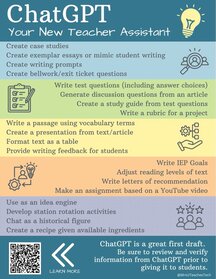
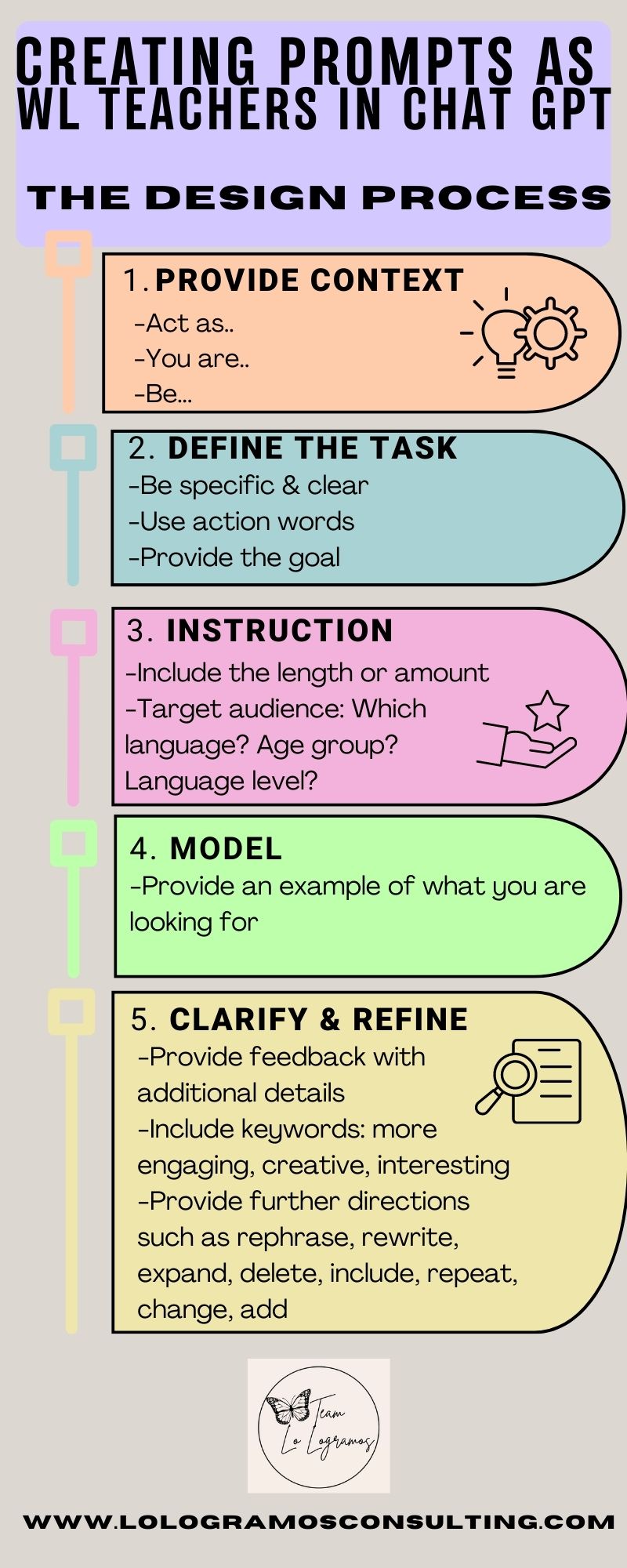
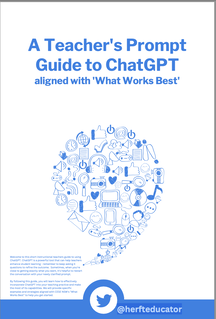
30 ChatGPT prompts for language learners


60+ ChatGPT prompts for language learning

Best AI prompts for language learning


Master a new language with ChatGPT: Your ultimate language learning companion

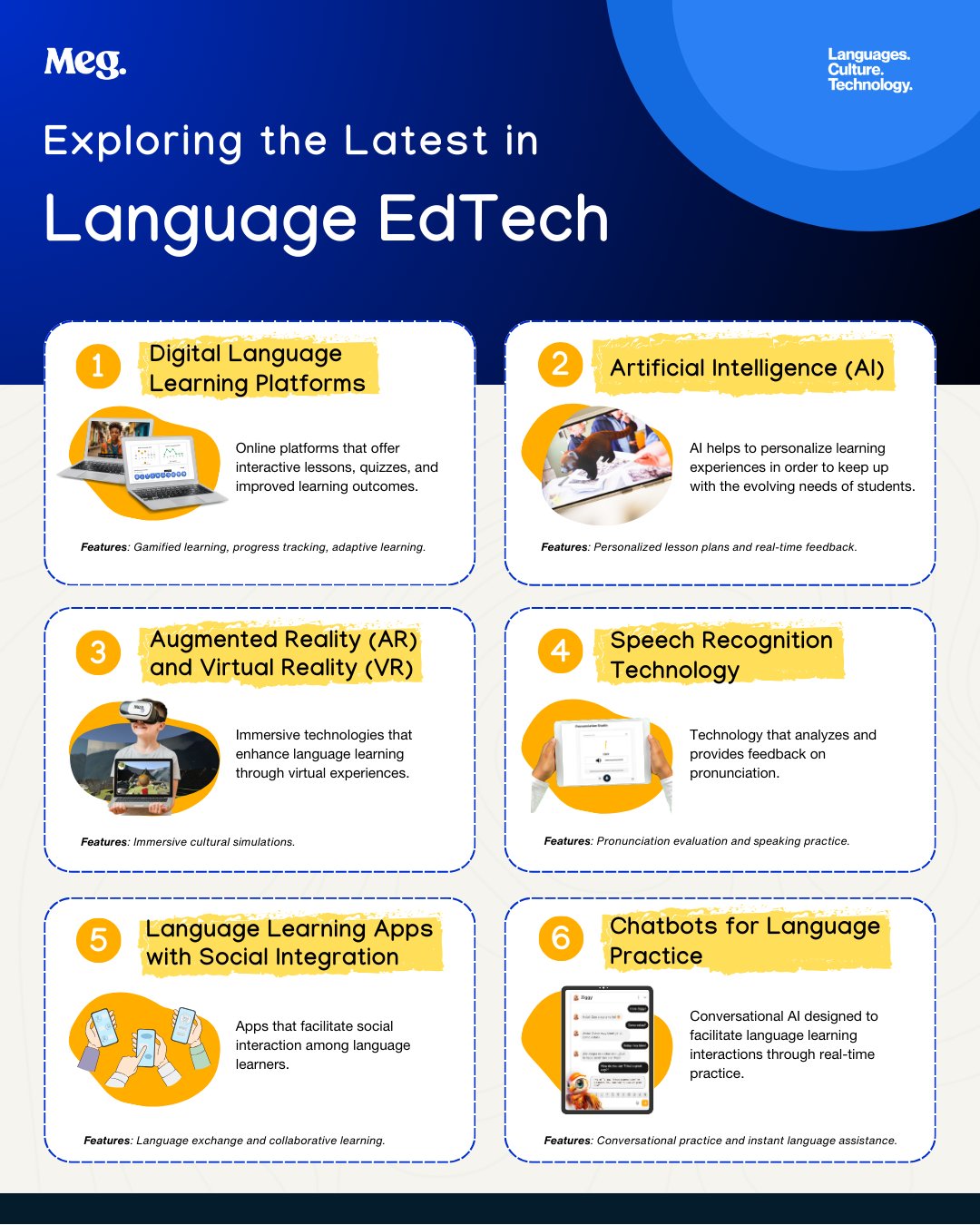
Enhancing world language instruction with AI image generators

Combining AI with CI (Noemi Rodriguez)

Chatbots in your language class (Noemi Rodriguez)

Apprendre le français avec ChatGPT

World Language Classroom Podcast: AI Tools in the Language Classroom (Josh Cabral)

World language lesson planning with AI (Paris Granville)

World language: AI to save teachers time (Paris Granville)- very rich resource!!


​General Resources

5 Strategies for AI Adoption

Artificial Intelligence: Office of Educational Technology (US Department of Education)- very rich site!


5 ways to use AI tools to meet students’ needs: 

AI in Special Education

Design an AI-resistant assessment prompt


Specific AI generators

Suno AI: Make a song about anything (students ages 18+)

Quizizz AI: Design a quiz from content

Ideogram: input a description and create an image

Diffit: Create differentiated materials for students


Picture
Picture
Picture
Picture
Picture
Picture
Picture
Picture
Picture
Picture
  • Home
  • Instruction
    • Lessons based on authentic resources
    • Proficiency
    • Communicative Modes
    • Target Language
    • Scaffolds and Supports
    • Tiering Tasks and Text
    • Interpretive Mode
    • Authentic Resources
    • Intercultural Communication
    • Continuous Assessment
    • Assessment in World Languages
    • Responding to Student Data
    • Feedback
    • Grammar in Context
    • Questioning and Discussion
    • Meeting the needs of diverse language learners
    • Learning Centers
    • Supportive Learning Environment
    • Knowing the Learner
    • Student Engagement
    • Student Choice and Voice
    • Flexible grouping
    • Student Reflection and Self-Assessment
    • Varied Approaches
    • Lesson and Unit Planning
    • Guided Instruction
    • Intentional Skill Building
    • Thinking Strategies
    • Immersion Resources
    • Designing Performance Tasks
    • AI Resources for World Languages
    • Diversity, Equity and Inclusion in World Languages
    • Resources for the Shift to Online/Blended Learning
    • Designing Tasks Around Authentic Resources: One Stop Shop
    • Project-Based Language Learning
  • Leadership
    • Leadership Resources
    • Teacher Leadership
    • Coaching and Mentoring Skills
    • Professional Learning
    • Effective Meeting Management
    • Team Building
    • Leading Through Change
    • Teacher Recruitment and Retention
    • Growth Mindset
    • Feedback for Teachers
    • Supporting Teachers' Wellbeing
  • Workshops, sessions, and keynotes
  • WLPD4U
  • Blog
  • Reflection Spinner